


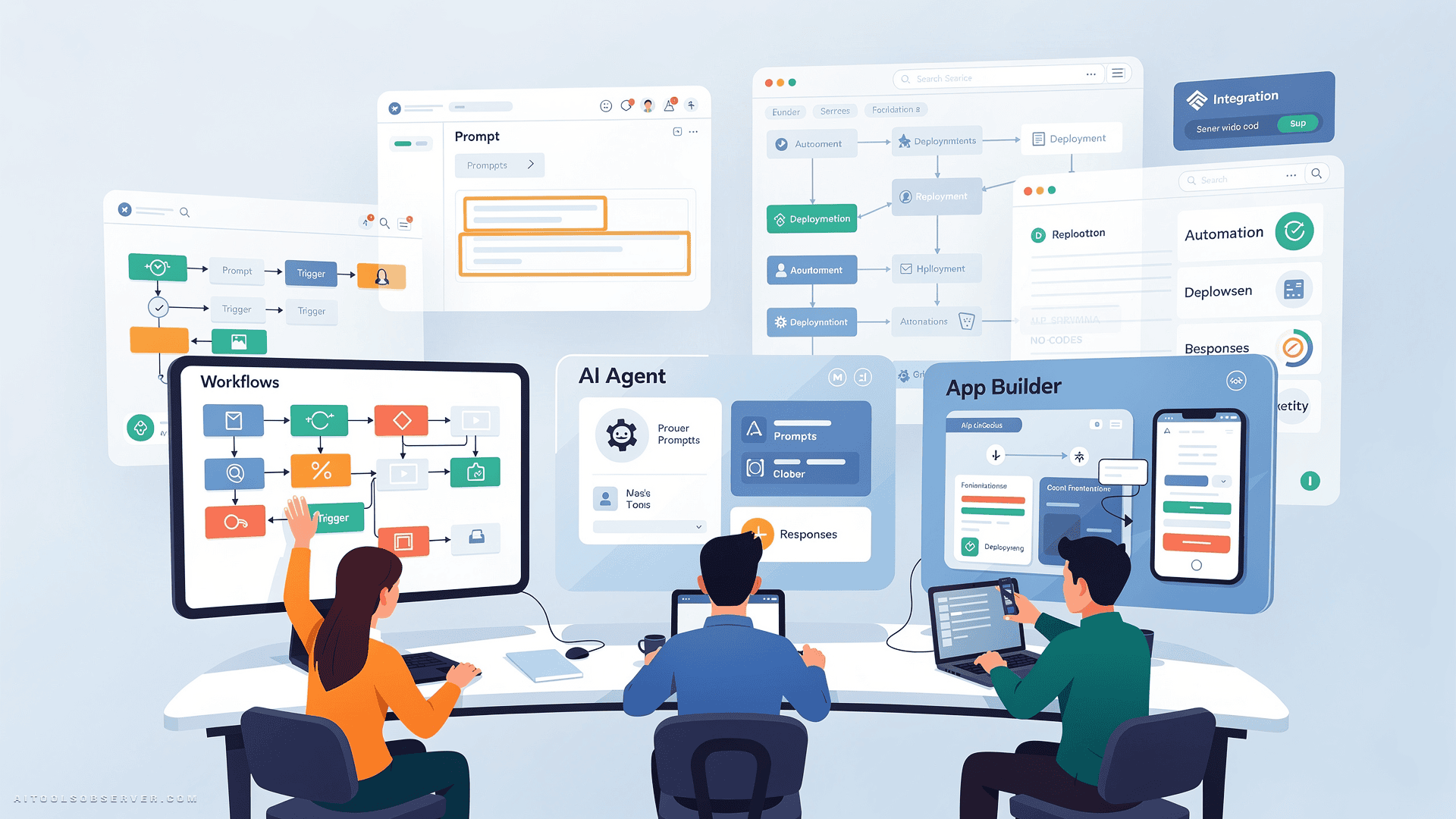
What to Expect From No-Code AI Tools in 2026

These platforms have matured far beyond simple form builders and basic automation triggers. Today’s no-code AI tools can:
- Generate full-stack web and mobile applications from a text prompt
- Deploy autonomous AI agents that handle judgment-based tasks
- Train and deploy custom machine learning models from your own data
- Connect hundreds of SaaS apps and orchestrate complex multi-step workflows
The result is a landscape where founders, marketers, and operators can build and ship real products without a development team. The challenge is knowing which tool fits which job.
No-Code App Builders
These platforms let you design, build, and launch functional applications — no programming required.
1. Atoms
Atoms is the most end-to-end no-code AI platform on this list. It deploys a team of AI agents that handle every stage of product development: market research and idea validation, backend architecture, app deployment, and SEO optimization.
Built-in support for user authentication, databases, Stripe payments, and one-click hosting means you can go from a rough concept to a live, revenue-ready product in minutes. You don’t configure third-party services or stitch together separate tools — Atoms handles the full stack.
Best for: Entrepreneurs, solo founders, and small teams who want to ship a complete product fast without a dev team.
Standout feature: End-to-end AI agent pipeline from idea to deployed, monetized product.
2. Bubble
Bubble is one of the most established visual web app builders available. You design the interface, define the database schema, and wire up workflows — all without code. Its AI features now generate page layouts and logic from text descriptions, which you can then refine manually in the visual editor.
Bubble gives you more control and customization depth than most no-code tools, but that power comes with a steeper learning curve. It’s not the fastest path to a first prototype, but it’s one of the most capable for complex web applications.
Best for: Teams building sophisticated web apps that need custom logic and data structures.
Standout feature: Deep visual customization with AI-assisted layout and workflow generation.
3. Adalo
Adalo focuses specifically on native mobile and web apps for non-developers. Its AI assistant, Ada, builds an app from a plain-language prompt. A feature called Magic Add lets you introduce new functionality through natural language descriptions.
Adalo produces App Store-compliant binaries by design, which removes a significant technical hurdle for anyone trying to publish on iOS or Android without developer knowledge.
Best for: Non-technical founders who need a mobile-first app ready for the App Store or Google Play.
Standout feature: Native mobile app generation with App Store compliance built in.
4. Glide
Glide takes a data-first approach. You connect an existing spreadsheet or database — Google Sheets, Excel, Airtable — and Glide generates a functional app interface on top of it. Its AI-powered tables and actions extend what you can do with that data inside the app.
This makes Glide particularly strong for internal tools and customer-facing apps where the data already exists. You’re not building from scratch; you’re giving your data a usable front end.
Best for: Teams that already have structured data and need a fast, clean interface around it.
Standout feature: Spreadsheet-to-app generation with AI-powered data actions.
5. Softr
Softr builds client portals, internal tools, and websites on top of Airtable, Google Sheets, or its own native database. Its AI app generator scaffolds a working product from a description, and the resulting interface is clean and professional without any design work.
It’s a strong choice when you need something that looks polished and works reliably — especially for client-facing portals or team dashboards built on existing data sources.
Best for: Agencies, consultants, and operations teams building client portals or internal dashboards.
Standout feature: AI-generated apps with native Airtable and Google Sheets integration.
Prompt-to-App Generators
These tools generate working web applications — including code, frontend, backend, and database — from a text description.
6. Lovable

Lovable generates full-stack web applications from natural language. The output is a complete codebase: frontend built with React and Tailwind, a backend, database schema, and authentication — all deployed with one click. Two-way GitHub sync means you can hand the project off to a developer at any point without losing work.
Lovable sits at the intersection of no-code speed and real engineering output. It’s not just a prototype — it’s production-grade code you actually own.
Best for: Founders and product teams who want a deployable full-stack app from a prompt, with the option to extend it in code.
Standout feature: Full-stack code generation with two-way GitHub sync and one-click deployment.
7. Bolt.new
Bolt.new, from StackBlitz, is a prompt-to-app builder that keeps the code visible and editable throughout the process. It supports multiple JavaScript frameworks and lets you click UI elements directly to request changes. AI agents handle most of the execution, but you’re never locked out of the underlying code.
The transparency is its main advantage. You always know what’s being built and can intervene at any level — from a natural language prompt down to a specific line of code.
Best for: Developers and technical founders who want AI-assisted app generation with full code visibility.
Standout feature: Click-to-edit UI with transparent, framework-flexible code generation.
8. Replit
Replit pairs a browser-based IDE with Replit Agent, an autonomous app builder. The agent can scaffold, build, and deploy applications with many built-in integrations — all from a conversational interface. You don’t need a local development environment set up.
It’s particularly useful for founders who want a working product fast and don’t mind having some technical visibility into the process. The browser-based environment also makes collaboration straightforward.
Best for: Technical founders and early-stage teams who want fast app scaffolding with deployment built in.
Standout feature: Autonomous agent-driven app building inside a full browser-based IDE.
9. v0 by Vercel
v0 specializes in front-end generation. It produces Next.js applications with clean, well-structured UI and built-in database support. The output quality on the design and component side is consistently high, which makes it a common starting point for product and design teams.
It’s not a full-stack generator in the same way Lovable is, but for teams that prioritize front-end quality and are comfortable configuring the backend separately, v0 is hard to beat.
Best for: Product designers and front-end-focused teams building Next.js applications.
Standout feature: High-quality UI generation with native Next.js and Vercel deployment.
10. Appy Pie
Appy Pie offers a broad no-code suite covering apps, chatbots, and automations. Its AI assistant supports both drag-and-drop building and natural language prompts, making it accessible to first-time builders who need guidance through the process.
It’s not the most powerful tool on this list, but it covers a wide range of use cases in one platform, which suits small businesses that want a single tool for multiple needs.
Best for: Small businesses and first-time builders who need apps, chatbots, and automations without deep technical knowledge.
Standout feature: Broad no-code suite combining apps, chatbots, and automation in one platform.
Workflow Automation and AI Agents
These platforms connect your apps, trigger actions across systems, and increasingly run autonomous agents that make decisions — not just execute fixed rules.
11. Zapier
Zapier is the most widely used no-code automation tool in the market. It connects thousands of SaaS apps and handles trigger-and-action workflows that most teams need. Its AI layer now includes agents and a copilot that builds workflows from plain-English descriptions.
For straightforward automations — “when a form is submitted, add a row to a spreadsheet and send a Slack message” — Zapier is fast to set up and reliable. It’s the default starting point for most teams.
Best for: Teams that need fast, reliable automation across SaaS tools without complex logic.
Standout feature: Thousands of app integrations with an AI copilot for workflow generation.
12. Make
Make (formerly Integromat) is a visual workflow builder designed for more complex automations. Its canvas-based interface handles multi-step flows with conditional branching, error handling, and advanced logic that Zapier can’t match. It also integrates AI models directly into flows for tasks like classification, summarization, and content generation.
If your automation needs go beyond simple trigger-and-action chains, Make gives you the visual control to build them without code.
Best for: Operations teams and power users who need complex, branching automation logic.
Standout feature: Visual canvas with advanced branching, conditional logic, and native AI model integration.
13. n8n
n8n is an open-source, self-hostable automation platform with a low-code approach. It appeals strongly to teams that need full control over their data and infrastructure — especially in regulated industries or organizations with strict data residency requirements. It supports AI agent nodes for building LLM-driven workflows.
The self-host option is the key differentiator. You run n8n on your own infrastructure, which means your data never leaves your environment.
Best for: Technical teams and data-sensitive organizations that need self-hosted automation with AI agent support.
Standout feature: Open-source, self-hostable with LLM-driven AI agent nodes.
14. Microsoft Power Automate
Power Automate handles automation across the Microsoft 365 ecosystem. It connects Office apps, Dynamics 365, SharePoint, Teams, and hundreds of external services. Its AI features generate flows from plain-language descriptions, and it integrates deeply with Copilot across the Microsoft stack.
If your organization runs on Microsoft tools, Power Automate is the natural default. The integration depth with the Microsoft ecosystem is unmatched by any third-party tool.
Best for: Microsoft-centric organizations that need deep integration across the 365 and Dynamics stack.
Standout feature: Native Microsoft 365 integration with AI-assisted flow generation.
15. Lindy
Lindy takes a different approach from the other automation tools on this list. Instead of fixed trigger-action chains, Lindy builds no-code AI agents that handle judgment-based tasks — email triage, research compilation, meeting preparation, and similar work that requires reasoning, not just rule execution.
Agents run across your connected tools and make decisions based on context, not just conditions. This is a meaningfully different model from traditional automation, and it’s where the category is heading.
Best for: Operations teams and small businesses that need AI agents to handle decision-heavy tasks, not just rule-based triggers.
Standout feature: Judgment-based AI agents that reason across connected tools rather than executing fixed chains.
16. Airtable
Airtable sits at the intersection of database, app builder, and automation platform. Its AI layer summarizes records, generates content, and categorizes data directly inside tables. Teams use it as both a data backbone and a low-code surface for building internal tools and automations.
It’s not the most powerful in any single category, but its flexibility makes it a strong connective tissue for teams that want one platform to hold their data, their apps, and their automations.
Best for: Teams that want a flexible database with built-in app building and AI-powered data management.
Standout feature: AI-powered data operations inside a flexible relational database and app platform.
Machine Learning and Model Platforms
These tools let you build, train, and deploy custom machine learning models — with no-code interfaces for non-technical users and full engineering depth for technical teams.
17. Google Vertex AI
Google Vertex AI offers no-code AutoML alongside a full model development environment. Non-technical users can train classification, regression, and vision models directly from their data without writing any code. Engineers can extend the same pipelines with custom code when needed.
The no-code and low-code surfaces share the same underlying infrastructure, which means you can start simple and scale to production without switching platforms.
Best for: Teams that need no-code model training today with the option to extend to full ML engineering later.
Standout feature: No-code AutoML with a seamless path to full-scale model development on the same platform.
18. Amazon SageMaker
SageMaker is AWS’s end-to-end machine learning platform. SageMaker Canvas provides a no-code interface for building and deploying models from data — without writing code or understanding ML algorithms. The broader SageMaker platform supports training, tuning, and deployment at scale for technical teams.
If your infrastructure already lives on AWS, SageMaker Canvas is the fastest path to a deployed model without leaving your existing cloud environment.
Best for: AWS-centric teams that need no-code model building with a path to production-scale ML infrastructure.
Standout feature: No-code Canvas interface backed by full SageMaker ML infrastructure on AWS.
19. Microsoft Foundry
Microsoft Foundry (formerly Azure AI Foundry) is a unified platform for building AI applications and agents. Its portal lets you deploy models, test prompts, and author prompt-based agents through configuration — no application code required for basic use. It integrates with Azure’s broader AI and data services.
For organizations already invested in the Microsoft and Azure ecosystem, Foundry provides a structured, enterprise-grade environment for AI application development.
Best for: Enterprise teams on Azure that need a governed platform for deploying models and building AI agents.
Standout feature: Unified portal for model deployment, prompt testing, and agent authoring with no application code required.
20. Teachable Machine
Teachable Machine by Google is a free, browser-based tool for training image, sound, and pose recognition models. It requires no code, no account, and no setup — you open the browser, provide examples, and train a model in minutes.
It’s not a production ML platform. But as a starting point for prototyping, teaching, or validating whether a machine learning approach will work for a specific problem, nothing is faster or more accessible.
Best for: Educators, prototypers, and anyone who wants to test a machine learning concept without any setup.
Standout feature: Zero-setup, browser-based model training with no account required.
21. Jotform AI
Jotform AI extends a mature form builder with a comprehensive AI layer. It generates forms from prompts, adds conditional logic automatically, and supports AI agents that handle form responses — routing, summarizing, and triggering follow-up actions based on what respondents submit.
For teams that rely heavily on forms for intake, surveys, or workflow triggers, Jotform AI adds meaningful intelligence to a process that’s usually static and manual.
Best for: Teams that use forms as a core part of their workflow and want AI to handle response logic and follow-up actions.
Standout feature: AI-generated forms with conditional logic and response-handling agents built in.
How to Choose the Right Tool
The right platform depends on what you’re building, the stack you already use, and how far you need to push toward production. Here’s a practical breakdown:
Building an end-to-end product without a dev team
Atoms is the strongest option here. It covers idea validation, backend, payments, and hosting in one place — no external services to configure, no separate tools to stitch together.
Building mobile or customer-facing apps without code
Adalo, Glide, and Softr all produce deployable products without programming. Adalo is strongest for native mobile, Glide for data-driven apps, and Softr for client portals and dashboards.
Generating full-stack web apps from a prompt
Lovable, Bolt.new, v0, and Replit all cover this category. Lovable and Bolt.new produce the most complete full-stack output. v0 leads on front-end quality. Replit is strongest for teams that want an IDE alongside the agent.
Connecting apps and automating tasks
Zapier handles simple trigger-action flows across thousands of apps. Make adds visual complexity and branching logic. n8n adds self-hosting and data control. Power Automate is the default for Microsoft environments.
Running agents that make decisions
Lindy is the clearest choice here. It handles judgment-based work — email triage, research, meeting prep — across your connected tools, which is a fundamentally different model from fixed automation chains.
Building custom models from your data
Vertex AI, SageMaker, and Microsoft Foundry serve teams that need trained models or production AI infrastructure. Match the platform to your existing cloud provider. Teachable Machine is the fastest no-setup starting point for simple image, sound, or pose classifiers.
Key Takeaways
- App builders like Atoms, Bubble, Adalo, and Glide ship full products with no code — Atoms goes furthest with end-to-end AI agent coverage from idea to deployed product.
- Prompt-to-app tools like Lovable, Bolt.new, v0, and Replit generate working web applications from text — most still require external service configuration for databases and auth, except Lovable which handles it natively.
- Automation platforms Zapier, Make, n8n, and Power Automate handle no-code workflow automation at different complexity levels — Lindy adds a different layer with decision-making AI agents.
- ML platforms Vertex AI, SageMaker, and Microsoft Foundry cover no-code-to-low-code model building and deployment — match the platform to your existing cloud provider.
- No single tool does everything well. The most effective setups combine two or three platforms — one for the product, one for automation, one for data or models.
The Bottom Line
The low-code and no-code landscape in 2026 is less about replacing developers and more about removing the gap between an idea and a working product.
Whether you start with an end-to-end builder like Atoms, prototype a front end in Lovable or v0, automate operations with Zapier or Lindy, or train a model in Vertex AI, the common thread is speed. You can now go from concept to a live app, agent, or model in hours instead of weeks.
The right choice still depends on what you’re building, the stack you already use, and how far you need to push toward production. Match the tool to the task, verify current pricing and capabilities on each official site, and combine a few platforms rather than expecting one to do everything.
The best builders in 2026 aren’t the ones who know the most code. They’re the ones who know which tools to combine.












Comments (0) No comments yet
Want to join this discussion? Login or Register.
No comments yet. Be the first to share your thoughts!