
Pricing and Commercial Use
These are the current entry points, but pricing varies by region, billing period, and subscription tier. Commercial use rights are a separate question from pricing—worth reading carefully before client delivery.
Adobe Firefly offers limited free access. Firefly Standard is $9.99/month with 2,000 generative credits. Adobe states that output from its own Firefly models can be used commercially and asks users to evaluate partner-model output separately.
ChatGPT Images includes limited generation on the Free tier. ChatGPT Plus is $20/month. OpenAI assigns its rights in output to you, to the extent permitted by law, and notes that outputs may be similar to those other users receive.
Google Gemini offers image generation with usage limits. Google AI Pro expands access at $19.99/month. Google states it does not claim ownership over original content generated with its services, though its prohibited-use policy still applies.
Midjourney starts at $10/month for Basic. Standard, Pro, and Mega tiers are $30, $60, and $120/month respectively. Companies grossing over $1 million annually require Pro or Mega for commercial use. Stealth Mode—keeping generations private—is available on Pro and Mega.
For client work, verify whether your agreement permits AI imagery and whether any supplied reference material is cleared for that use.
How the Testing Worked
Each of the three testable tools received the same prompts across three briefs, with results reviewed from the first output only—no rerolling. For the lighthouse brief, ChatGPT Images and Gemini were also asked to make a single targeted color change, to assess how well each tool handles revisions without disturbing the surrounding composition.
One run per prompt is a limited sample. Results can vary on subsequent runs.
Test 1: Film Title Sequence Background
The brief asked for a widescreen 16:9 gouache-style painting of a solitary red lighthouse on the far right third, with the amber beam pointing right and the left half kept open in low-contrast navy for a title overlay. No text, no border.
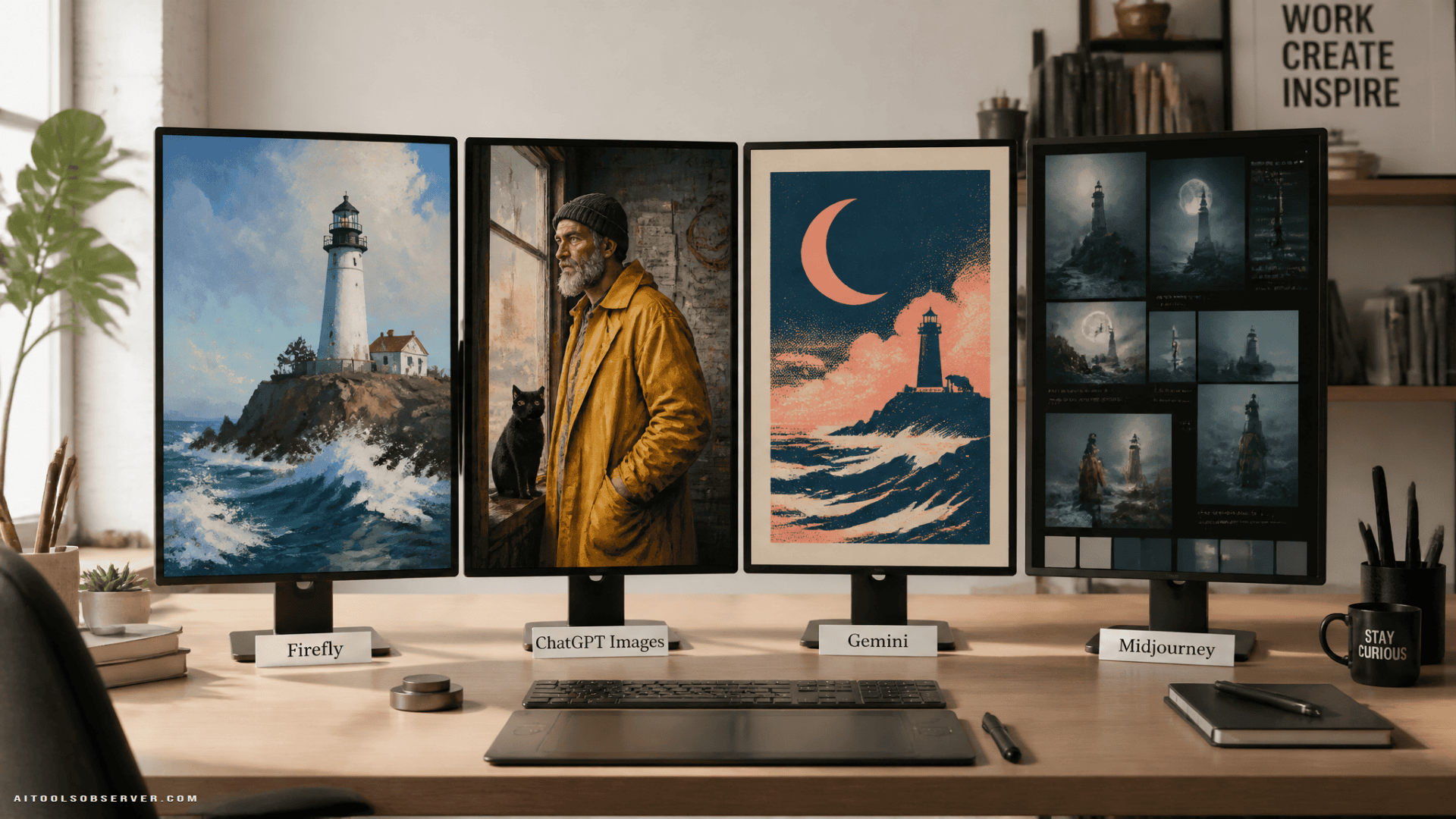
Firefly produced the most graphic result—strong color separation, a clear silhouette, and a readable thumbnail. The beam pointed left, however, cutting into the space reserved for the title. The downloaded file measured 1,344 × 768 pixels despite selecting Widescreen 16:9 in the interface. Check exported dimensions before committing to a sequence or print layout.
ChatGPT Images followed the layout most closely on the first pass. The beam pointed right, the tower sat well to the right, and the left half stayed open. The rock face and waves showed the most visible brushwork of the three. Small type should be kept away from the brighter wave highlights, where the texture competes with legibility.
Gemini got the beam direction and title space right, then added a crescent moon and horizontal white bands to the lighthouse tower. Those additions worked visually but would need flagging if a client had already approved a plain red tower.
Test 2: Character Concept
The brief asked for a full-body lighthouse keeper with round glasses, a mustard raincoat, navy boots, a brass lantern on the viewer’s left, and a black cat on the viewer’s right. All three tools placed both props correctly.
The outputs diverged in how they’d be useful. Firefly’s simplified outline suits an early silhouette study. ChatGPT’s clothing detail works well as costume reference. Gemini’s more open composition leaves room for annotation on a character sheet. Firefly’s preview also showed broad side bands around the portrait—worth checking the exported canvas before using that output in a fixed-size layout.
Test 3: Editorial Poster
The brief asked for a risograph-style 4:5 poster with only the text NIGHT TIDE and A FIELD GUIDE, plus one crescent over three waves in navy and coral on cream paper. All three spelled both lines correctly on the first pass.
Firefly kept the artwork compact. ChatGPT’s ink texture and slight color offset came closest to a risograph print, though it used two crests per row across three wave rows rather than one. Gemini gave three prominent crests and the most breathing room between the subtitle and moon. For a print run or client handoff, keeping editable type in the layout application remains the more reliable approach regardless of which generator produces the artwork.
1. Adobe Firefly — Best for Connected Creative Workflows
Firefly’s strongest argument is not any single output but the pipeline it sits inside. Generated artwork moves directly into Photoshop, Premiere Pro, and other Adobe applications without format conversion or context switching. For creators who already work inside the Adobe ecosystem, that continuity has practical value.
The tool offers explicit controls for aspect ratio, resolution, and generative model, which matters when output dimensions need to match a delivery spec. The first-run lighthouse missed a directional instruction, and the exported pixel dimensions differed slightly from a true 16:9 frame—both worth verifying before committing an asset to a sequence.
Pros: Strong color separation, clear silhouette, explicit model and resolution controls, direct integration with Adobe applications.
Cons: Missed a directional instruction on the first run; exported dimensions may not match the selected aspect ratio exactly.
Best for: Background plates for title sequences, pitch decks, or illustrations that will be refined further inside an Adobe workflow.
2. ChatGPT Images — Best for Detailed Creative Briefs
ChatGPT Images handled the most compositionally specific brief with the most accuracy on the first pass. The placement, beam direction, and negative space all matched the written instructions. Its conversational interface means follow-up changes can be requested in plain language or by selecting an area in the image editor.
The tradeoff is revision stability. When asked to change only the lighthouse tower color, the rock textures and small shoreline details shifted. For continuity between shots or across a series of assets, comparing the original and revised frames at full size before swapping them into an edit is worth the extra step.
Pros: Strong first-pass prompt accuracy; conversational revision workflow; visible brushwork and painterly texture.
Cons: Targeted edits can affect adjacent details; continuity between revisions requires manual checking.
Best for: Editorial illustration, concept development, and translating a detailed written brief into a composition that can be revised quickly.
3. Google Gemini — Best for Targeted Image Revisions
Gemini’s clearest advantage showed up in the revision test. Asked to change only the lighthouse body to pale mint green, it kept the coastline, moon, beam, and overall framing close to the original. The roof shifted toward green as well—easy to miss at preview size—but the surrounding scene remained stable in a way that makes targeted color variations practical.
On the first pass, Gemini introduced unrequested details: a crescent moon and horizontal bands on the tower. Those additions were visually coherent but diverged from the brief. For work where a client has already approved a specific composition, that tendency is worth accounting for.
Pros: Revision stability across most of the scene; straightforward follow-up prompting.
Cons: First-pass outputs may include unrequested details; edits can affect adjacent elements such as the roof.
Best for: Color variations and targeted changes on a composition that already has the right structure.
4. Midjourney — Best Suited to Style Exploration
Midjourney’s documented feature set—Style Reference, variation controls, and Relax Mode generation on Standard and above—positions it as a tool for visual exploration rather than precise brief execution. It is better suited to building moodboards, testing art directions, and iterating on aesthetic before committing to a composition.
Because hands-on testing was not possible for this comparison, prompt accuracy and image quality are not ranked against the three results above. That gap is worth noting when evaluating it for production use.
Pros: Documented controls for visual style, variations, and refinement; unlimited Relax Mode generation on Standard and above.
Cons: Paid access required; creations are public by default—confidential client briefs require Stealth Mode and a Pro or Mega subscription.
Best for: Visual direction exploration when iteration time is available and the project’s confidentiality requirements allow it.
Using Generated Artwork in a Video Production Workflow
Generating an image is typically the first step, not the last. For a title sequence, the practical workflow in Premiere Pro looks like this:
- Generate and download the still. Select an aspect ratio that matches the edit, leave space for text in the prompt, and verify the downloaded pixel dimensions before importing.
- Import and place in the timeline. Put the artwork on V1. Add editable text above it using the Type tool in the Program Monitor. Check legibility at playback size—beam highlights and wave textures can compete with small type.
- Animate if needed. A subtle scale keyframe in Effect Controls (for example, 100% to 106% over the clip duration) adds movement without requiring motion graphics work. Verify the tower stays clear of the frame edge throughout.
- Export a review frame. Pause where the full title is visible and use Export Frame to capture a PNG for client review or internal sign-off.
The generated artwork provides the starting point. Composition, typography, motion, and final delivery remain decisions made by the creator in the production application.
Which Tool to Choose
The right choice depends on where in your process you need the most help.
- If your work lives inside Adobe applications and you need assets that move cleanly into an existing pipeline, Firefly is the practical default.
- If you work from detailed written briefs and need to iterate through conversation, ChatGPT Images follows instructions with the most precision on the first pass.
- If you have a composition you like and need to test color variations without rebuilding the scene, Gemini handles targeted revisions with the most stability.
- If you’re at the start of a project and need to explore visual directions before committing to a brief, Midjourney is built for that kind of iterative exploration.
None of these tools produces a finished asset. They produce starting points. The quality of the final work still depends on how clearly you brief them, how carefully you review the output, and how much refinement you apply afterward.





Comments (0) No comments yet
Want to join this discussion? Login or Register.
No comments yet. Be the first to share your thoughts!