



At a Glance
Before diving in, here’s the fast version if you just need a direction:
- Best for marketing a small business: Pomelli
- Best for research and study: Gemini Notebook
- Best for building apps with no code: Opal
- Best for serious coding: Antigravity
- Best for making music: Flow Music
1. Pomelli — Small Business Marketing
Most small businesses can’t afford an agency. Pomelli is Google’s answer to that gap.
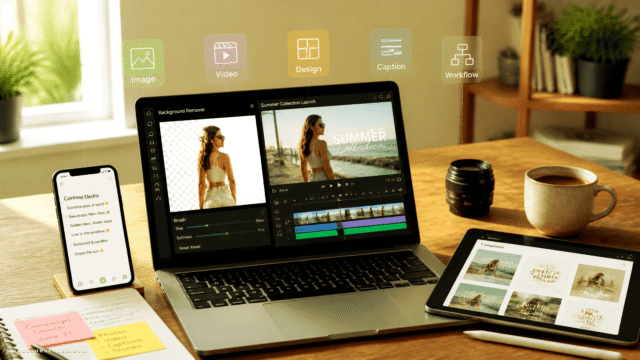
It reads your existing website and builds what Google calls a Business DNA profile—capturing your tone of voice, fonts, imagery, and colour palette. From there, it generates on-brand social posts, ads, and campaign assets without you having to brief a designer or write a prompt from scratch.
There’s also a Photoshoot feature that turns flat product photos into studio-style imagery. Built by Google Labs with Google DeepMind, it’s available in the US, Canada, Australia, New Zealand, and Europe.
- Free tier: Free, public beta
- Website: labs.google/pomelli
- Related: marketing
2. Stitch — UI Design and Frontend Code
The handoff between a designer’s file and a developer’s editor is where ideas go to die. Stitch removes that friction.
Feed it a text prompt, a rough sketch, or a wireframe, and it returns clean interface designs plus the frontend code behind them. It’s the fastest path from napkin idea to something you can actually click—without needing two separate people to get there.
- Free tier: Free, in beta
- Website: stitch.withgoogle.com
3. Mixboard — Moodboards and Early Concepting
Think of Mixboard as what happens when Pinterest and Canva have a child that can actually generate and edit its own imagery.
It runs on Gemini alongside Google’s Nano Banana image model. Drop in a reference image, describe a change in plain language, and reshape the board until the concept reads properly. It’s built for the messy early stage of a creative project, when you know what you want but can’t quite articulate it yet.
- Free tier: Free, Google Labs experiment
- Website: labs.google.com/mixboard/welcome
4. Gemini Notebook — Research and Document Analysis
NotebookLM got a rename in July 2026. It’s now Gemini Notebook, and existing notebooks carry over untouched—so if you’ve been using it, nothing breaks.
The core behaviour is the same: feed it documents, PDFs, videos, and notes, and it answers questions strictly from those sources. No hallucinated citations, no wandering off-topic. The July 2026 update added the ability to run code inside a notebook for data analysis, plus deeper integration with the Gemini app and Google Search.
The free tier remains the most generous research tool on this list, especially for students looking at free AI study notebooks or comparing NotebookLM alternatives.
- Free tier: Free, with a paid Pro tier above it
- Formerly: NotebookLM
- Website: notebooklm.google
5. Learn Your Way — Personalised Learning
Standard PDFs are a terrible way to learn. Learn Your Way takes a textbook or PDF and rewrites it to your grade level and interests, then wraps it in narrated slides, mind maps, mnemonics, and comprehension checks.
Pick sport or music as an interest and the model anchors its analogies there. In a Google Research study of 60 students aged 15 to 18, those using Learn Your Way scored 11% higher on retention tests than students working from a standard PDF. That’s a meaningful gap for a free tool.
This fits squarely into Personalised Learning.
- Free tier: Free, Google Labs experiment
- Runs on: LearnLM
- Website: learnyourway.withgoogle.com
6. Disco — AI-Assisted Browsing (Watch This One)
Disco is the most interesting tool on this list that you probably can’t use yet.
Its core feature, GenTabs, reads your open tabs and browsing context, then builds a custom web app around whatever you’re actually doing. Researching a holiday? It assembles a trip planner with maps and itineraries. The concept is genuinely useful—but it’s waitlist-only, macOS-first, and Google is explicit that it’s an early prototype.
Worth keeping an eye on. Not worth clearing your schedule for.
- Free tier: Free, waitlist only
- Platform: macOS first
- Runs on: Gemini 3, via GenTabs
- Website: labs.google/disco
7. Opal — No-Code AI Workflows
Opal lets you chain prompts, model calls, and tools into shareable AI mini-apps using plain language and a visual editor. No code required.
It’s the closest thing Google has to a free automation platform, and a credible alternative to paid workflow builders for straightforward jobs. A Gemini 3 Flash agent can now build multi-step workflows from a single text description, which cuts the setup time considerably.
It overlaps naturally with workflow automation and No-Code AI App Builders.
- Free tier: Free, Google Labs experiment
- Runs on: Gemini 3 Flash agent
- Website: opal.google
8. Google AI Studio — Prototyping AI Apps
If you want to go from idea to working prototype as fast as possible, Google AI Studio is where you start.
It’s where you test prompts against Gemini models, then turn the result into a shareable app—all for free. It’s also now the recommended destination for developers migrating off Firebase Studio, which gives it a bit more staying power than a typical Labs experiment.
- Free tier: Free
- Models available: Gemini, Veo, and Nano Banana
- Website: aistudio.google.com
What’s Not on This List (and Why)
Three tools that appeared on similar roundups earlier in 2026 quietly moved behind a paywall in June. The list above reflects only what’s confirmed free as of July 2026. If you’re building a workflow around any of these tools, it’s worth checking the current pricing page before committing—Google’s free tiers have a habit of evolving.
The Useful Takeaway
Google’s free AI tools are genuinely competitive with paid alternatives in several categories—particularly research, marketing, and no-code app building. The gap between “free” and “useful” has narrowed considerably.
The smarter move isn’t to use all twelve. It’s to identify the one or two that replace something you’re currently paying for, and start there. Pomelli for marketing, Gemini Notebook for research, and Opal for workflows are the three most likely to earn a permanent spot in a real working setup.
The rest are worth bookmarking. Some of them—Disco especially—could look very different by the end of the year.








Comments (0) No comments yet
Want to join this discussion? Login or Register.
No comments yet. Be the first to share your thoughts!