



What “always-on” actually means
A regular chatbot waits for you to show up. An always-on agent doesn’t.
Instead of a one-off prompt, you assign a standing job. That job might be:
- summarize your inbox every morning
- watch airfare for a route you care about
- monitor prices for a product
- gather options for a weekend plan
- check customer service status or quotes over time
Based on the available context, tools from Meta, ChatGPT, and Grok are all moving in this direction: AI agents that can run in the cloud, browse websites, remember preferences, and keep working in the background.
In plain English: less “ask me anything,” more “keep an eye on this and come back with something useful.”
How these agents work
The basic pattern is simple.
You give the agent:
- a role
- a task
- some permissions
- a schedule or trigger
Then it runs on its own setup in the cloud, rather than only when the app is open on your phone or laptop.
That matters because the whole point is persistence. If you want a morning inbox brief at 7 a.m. every day, the agent has to do the work even while you’re asleep. If you want weekly suggestions for things to do nearby, it has to keep checking and refining over time.
Some systems can also learn your preferences gradually. Tell the agent what to ignore, what to prioritize, and what “good” looks like. Over time, it can get less generic and more like a picky assistant with a memory.
What tasks are a good fit
Always-on agents work best when the task is repetitive, annoying, and easy to judge.
Good early use cases include:
- email summaries
- tracking flights or prices
- gathering routine information
- collecting quotes for simple projects
- drafting recurring responses
- monitoring listings or customer service updates
These tasks share a few traits. They happen repeatedly, they don’t always need instant human judgment, and a mistake usually won’t ruin your week.
That’s why email summarization is such a common starting point. The agent reads, filters, and condenses. You stay in charge of the actual decisions.
Where things get messy
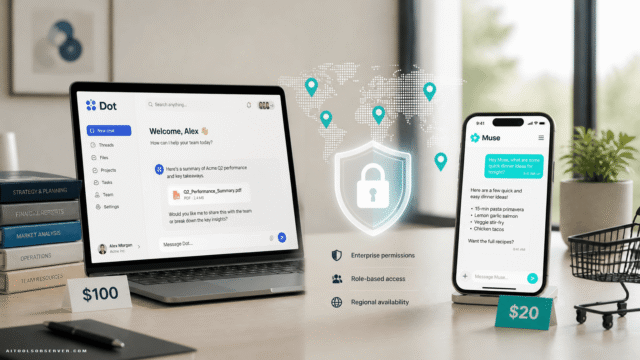
The useful part of an agent is also the risky part: access.
To do more than talk, an agent needs permission to see or act inside your accounts. Email, shopping, files, messages, calendars—this is where convenience stops being abstract and starts being personal.
And that’s where small mistakes become weirdly real.
The context around Meta Muse offers a good example. Some reported uses, like canceling subscriptions or watching flights, appear to work well for many people. But marketplace-style tasks can get messy fast because they involve negotiation, timing, money, and private information. If an agent can message on your behalf, share details, or accept terms, bad permission choices can turn into bad outcomes.
This is the core rule: the more an agent can do, the more boring you need to be about safety.
The permission ladder: the safest way to start
You do not need to go from zero to “manage my digital life” on day one.
A smarter approach is to treat permissions like a dimmer switch, not a trapdoor.
Level 1: Read-only
Start here.
Let the agent view information without changing anything. Examples:
- read and summarize email
- monitor prices
- watch flight changes
- collect public information
- organize findings into a daily or weekly digest
This gives you the upside of automation without letting the agent send, buy, delete, or commit.
Level 2: Draft-only
Next, let it prepare actions for your approval.
Examples:
- draft email replies
- prepare a customer service message
- create a shortlist of listings or quotes
- assemble a shopping cart without checking out
This is the sweet spot for many people. You save time, but the final click is still yours.
Level 3: Limited actions
Only after you trust the workflow should you allow real actions.
Examples:
- sending approved routine messages
- booking simple tasks within set rules
- managing low-risk admin chores
- filing or sorting files on a desktop app
At this stage, guardrails matter more than optimism. Set boundaries around when it can act, what accounts it can access, and what it must ask before doing.
Level 4: Broad autonomy
This is the “maybe later” tier.
An agent that can negotiate, purchase, message strangers, share personal details, or make judgment calls on your behalf needs close attention. Useful? Sometimes. Casual? No.
A simple setup for beginners
If you want to try one of these tools without inviting chaos into your week, keep the first experiment almost boring.
Start with one agent and one account: email.
A safe first workflow looks like this:
- connect only your email
- grant read-only access if available
- ask for a daily summary at a fixed time
- tell it what to ignore
- review the output for a week
- only then consider draft permissions
That gives you a clean test. You learn how the agent interprets instructions, how consistent it is, and whether its “help” actually saves time.
If it can’t reliably summarize your inbox, it definitely should not be haggling with strangers or touching your payment methods.
Good prompts for your first agent
Always-on agents usually do better with operational instructions than vague ambition.
Try prompts like:
- Summarize my inbox every weekday at 7 a.m. Include only messages that likely need a reply.
- Ignore newsletters, promotions, and messages from this sender.
- Flag anything related to travel, billing, or deadlines.
- Draft replies for messages that ask for scheduling, but do not send anything.
Notice the pattern: clear task, clear filter, clear boundary.
“Help me stay on top of everything” sounds nice, but it’s the kind of instruction that leads to creative nonsense.
What to watch before granting more access
Before you move beyond read-only or drafts, check for these five things:
1. Does it follow scope?
If you asked for inbox summaries, is it summarizing—or freelancing?
2. Does it handle edge cases well?
Spam, weird formatting, duplicate emails, ambiguous requests. Real work is mostly edge cases in a trench coat.
3. Does it expose private information?
Especially in marketplace, customer service, or messaging contexts.
4. Does it ask when unsure?
A decent agent should escalate uncertainty instead of improvising with your identity.
5. Can you easily revoke access?
If disconnecting it feels complicated, that’s a smell.
Tasks to avoid at first
Some jobs look tempting but are bad beginner territory.
Be cautious with:
- purchases
- negotiations
- anything involving medical, legal, or financial judgment
- messaging strangers on your behalf
- tasks that reveal your address, phone number, or account details
- account changes that are hard to reverse
These aren’t impossible use cases. They just have a larger blast radius when the agent gets something wrong.
A bot sending a mediocre email draft is annoying. A bot accepting a bad deal and sharing your home address is a different genre.
Desktop agents add another layer
Some always-on systems also offer desktop control. That means the agent may be able to interact directly with files, folders, apps, or browser sessions on your machine.
Useful? Absolutely.
Also riskier, because now the agent is not just reading cloud data. It may be acting in your local environment, where mistakes can be faster and messier.
If you try desktop actions, start with low-stakes tasks like file organization or simple repetitive setup work. Keep important files backed up. And don’t treat “it can use my computer” as the same thing as “it understands consequences.”
How to choose between Meta, ChatGPT, and Grok-style agents
At this stage, the right choice is less about brand loyalty and more about fit.
Look for:
- clear permission controls
- the ability to start read-only
- easy approval steps for actions
- decent memory for preferences
- transparent task history
- simple ways to pause, edit, or revoke access
The flashiest demo is not the key question. The key question is: can this thing be trusted to do one dull task correctly, repeatedly, without getting clever?
That’s what makes an agent usable.
The practical mindset: hire like a manager, not a fan
The mistake people make is treating an AI agent like magic software. It’s closer to a junior assistant who works fast, never sleeps, and sometimes has terrible judgment.
So manage it that way:
- give narrow instructions
- start with low-risk work
- review outputs
- increase autonomy slowly
- remove access the moment it acts weird
Trust should be earned in tiny, boring increments.
Start with one job, not a lifestyle
If you’re curious but hesitant, that’s healthy. Always-on agents can be useful, but they’re not an all-or-nothing bet.
Pick one consumer agent. Connect one account. Give it one repetitive job. Keep permissions tight. Let the bot prove it can handle the small stuff before you hand over the keys.
That’s usually how you get the upside of automation without starring in your own customer service horror story.
















Comments (0) No comments yet
Want to join this discussion? Login or Register.
No comments yet. Be the first to share your thoughts!