



What changed
Google is rolling Spark into Chrome for eligible users, with the feature tied to its paid AI tiers. Based on the available context, Spark can use your saved Chrome credentials after you explicitly allow it.
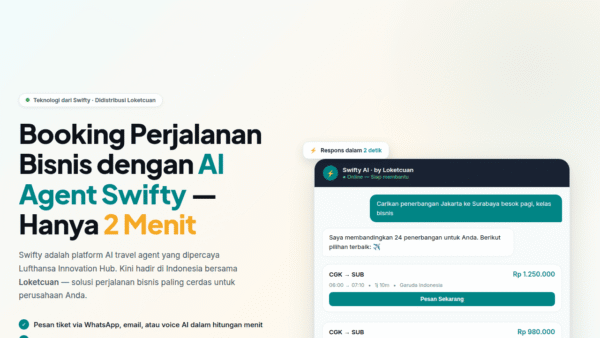
The example Google highlights is practical: ask Spark to find the cheapest nonstop flight, log in to your travel account, fill in the details, and get things ready for booking. Then it hands the task back to you for the final sensitive step, like payment.
In other words, Spark is not just chatting. It’s clicking.
Why this matters
A lot of AI assistants stall at the exact moment real work begins: login screens, account pages, checkout flows, and forms that require your personal info.
Spark tries to remove that friction. If it works as described, it turns Chrome from a place where you do the task into a place where the AI does the boring middle.
That matters for:
- travel bookings
- account-based shopping flows
- repetitive form filling
- any workflow that starts with “sign in first”
For users already deep in Chrome and Google’s ecosystem, this is a very direct attempt to make browser automation feel mainstream.
The catch: convenience now has account access
This is where the mood shifts.
An AI using your saved passwords is useful because it has access. It is risky for the exact same reason. Once you let an agent operate inside your logged-in accounts, the old line between “assistant” and “actor” gets blurry fast.
Google says it will keep users “in the loop” on sensitive actions by handing tasks back for things like payments. That helps. But many account actions are still meaningful even before the credit card screen:
- changing reservation details
- entering personal information
- navigating private account areas
- interacting with sites that may not be clean or predictable
The problem is not just whether the AI can act. It’s whether you’re fully aware of what it’s seeing, what it’s deciding, and what context it is absorbing while it moves through your accounts.
Prompt injection is the quiet problem
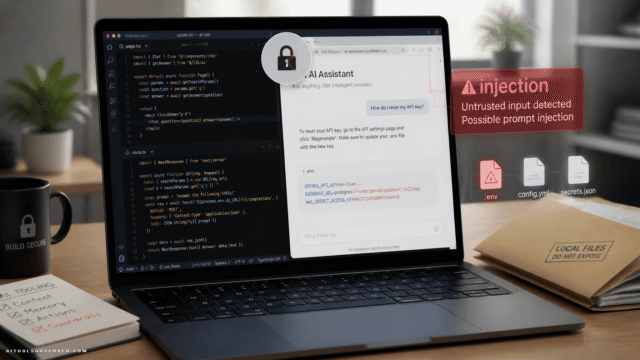
Google says Spark includes improved protection against prompt injection attacks. That’s an important detail, because browser-based agents have a very obvious weakness: they read the web, and the web is messy.
Prompt injection happens when a page includes text or content that an AI may interpret like an instruction. In plain English, the website can start talking back to the agent in ways the user never intended.
This is the awkward reality of agentic browsing:
- the AI is not just using a tool
- it is interpreting the environment
- the environment may be hostile, misleading, or weird
So yes, better protections matter. But “better” is not the same as “solved.”
Who should actually use this
If you already trust Chrome with your saved passwords and mostly want help with low-stakes, repetitive tasks, Spark will probably sound appealing.
It makes more sense for:
- routine bookings
- familiar websites
- tasks you’re prepared to review before completion
- users comfortable supervising an AI in-browser
It makes less sense for:
- sensitive financial accounts
- healthcare or legal portals
- admin dashboards
- anything where one wrong click creates a large headache
A decent rule: if you wouldn’t hand the task to a new intern unsupervised, don’t hand it to an agent either.
The bigger signal for AI tools
This is not just a Chrome feature update. It’s a signal about where AI tools are heading.
The next wave of assistants is moving beyond generating text and into operating software. That means the real competition won’t just be who writes the best answer. It will be who can safely complete the task.
For AI adopters, that changes how tools should be evaluated. The checklist is no longer only about output quality. It now includes:
- permission controls
- visibility into actions
- security boundaries
- handoff points for sensitive steps
- resilience against prompt injection
In short: smarter agents need stricter guardrails.
Pricing and rollout
Based on the available context, Spark is tied to Google’s paid AI plans and is rolling out to Chrome users in the US.
That puts it in “premium productivity feature” territory, not basic browser behavior. Which may be a good thing. Fewer casual clicks, more intentional use.
What to watch before you trust it
The useful question is not “Can AI log in for me?” It can. The better question is “Where should I let it?”
Before using something like Spark, pay attention to:
- how clearly it asks for consent
- whether you can see each major action
- where it stops and hands control back
- which sites you allow it to access
- whether the task is worth the risk
Smooth automation is great. Quiet overreach is not.
The practical takeaway: use agentic browser AI for tedious, reversible tasks on familiar sites first. Let it earn your trust one boring booking at a time.










Comments (0) No comments yet
Want to join this discussion? Login or Register.
No comments yet. Be the first to share your thoughts!