


What Microsoft actually launched
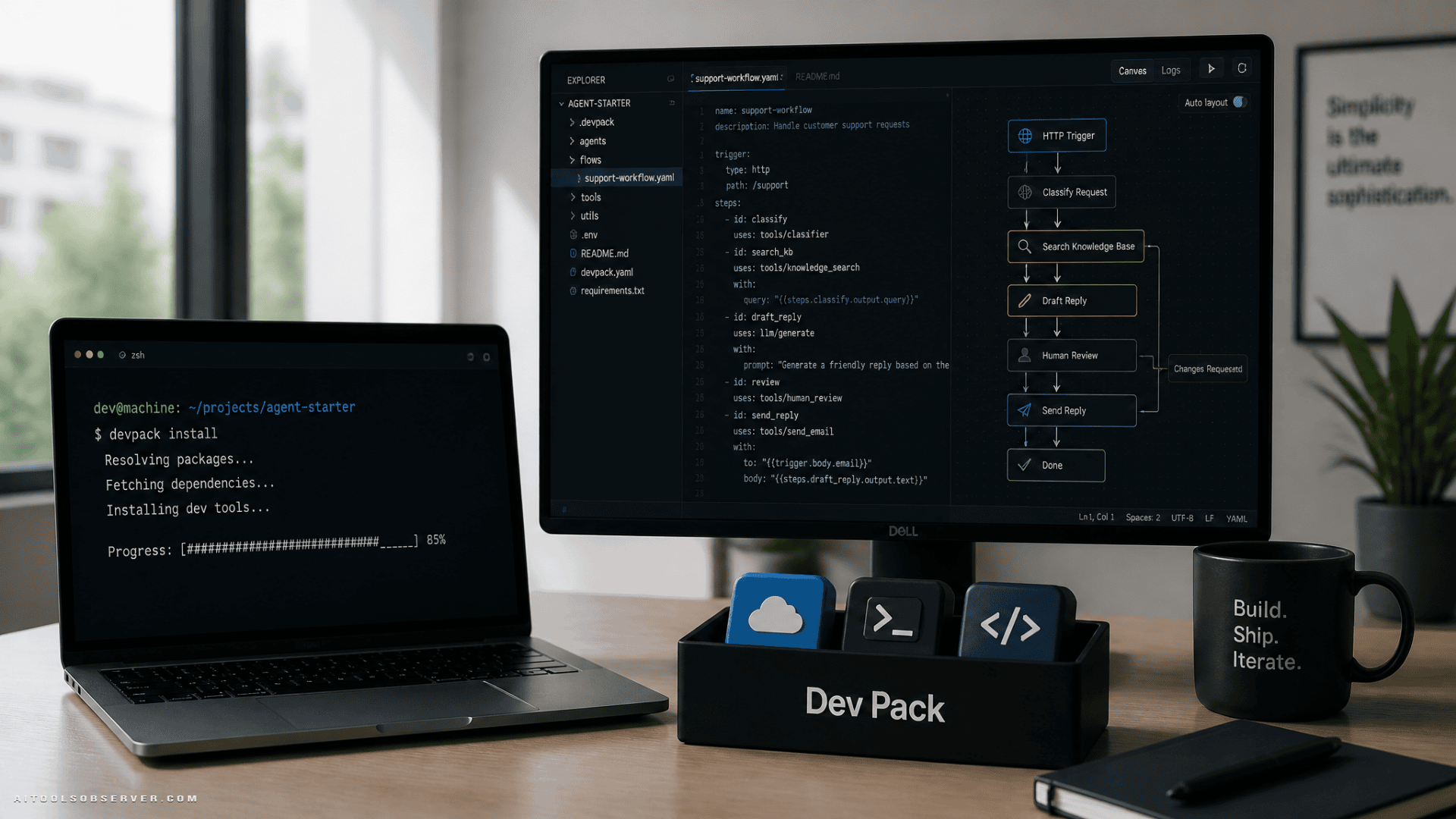
Foundry Dev Pack is not a brand-new development environment. It’s a bundled installer for Microsoft Foundry and Azure-related tools used to build, test, evaluate, and deploy AI apps and agents.
Based on the available description, the package can include:
- Azure CLI
- Azure Developer CLI (
azd) - Microsoft Foundry Extension for
azd - Microsoft Foundry Skill for coding agents
- Microsoft Foundry Toolkit for Visual Studio Code
- Foundry Canvas in preview
That matters because the value here is convenience, not novelty. Microsoft is turning a shopping list into an install button for AI development tools.
Why this matters for AI agent builders
AI agent development tends to sprawl fast. You start with a model call, then need templates, deployment flows, evaluation tools, editor support, and something visual for hosted agents. Suddenly, your “quick prototype” has six setup docs and one existential crisis.
Foundry Dev Pack appears positioned as a cleanup move. Instead of pulling tools together manually, developers can start from a pre-bundled stack that supports terminal workflows, editor workflows, and agent-focused workflows.
Microsoft is also leaning into agents pretty directly. The available context points to an azd ai agent init command for creating an agent from a template, alongside support through VS Code or a coding agent.
What’s included, and when
Some parts are conditionally installed, which is useful and mildly sneaky in a sensible way.
If you work in the terminal
The Azure CLI, Azure Developer CLI, and the Foundry Extension for azd support the command-line path. That gives developers a way to set up, deploy, and evaluate projects without bouncing between tools.
For teams that prefer terminal-first workflows, this is probably the cleanest part of the package.
If you work in VS Code
If Visual Studio Code is already installed, the Dev Pack can also add the Microsoft Foundry Toolkit. That brings Foundry tasks like building, testing, evaluating, and deploying AI apps into the editor.
So the bundle doesn’t force VS Code, but it rewards you for already living there.
If you use coding agents or hosted agents
Microsoft Foundry Skill can also be installed. The description suggests it includes reusable instructions that let coding agents execute Foundry workflows.
Foundry Canvas, currently in preview, can also be installed for designing and deploying hosted agents in a visual environment. But there’s a catch: it only gets added if the GitHub Copilot app is already present.
That tells you a lot about Microsoft’s intended workflow. This is not just about CLIs. It’s about CLIs, editors, coding agents, and visual agent tooling all sitting in one lane.
Cross-platform, which helps more than it sounds
Foundry Dev Pack works across the three major desktop platforms:
- Windows via WinGet
- macOS via Homebrew
- Linux via an install script
That’s not flashy, but it is practical. Cross-platform parity matters when teams are split across operating systems and nobody wants setup docs that read like a family argument.
The tradeoff: easier setup, not complete setup
There’s one important limitation. Foundry Dev Pack does not appear to install a programming language or runtime for you.
So yes, it reduces setup work. No, it does not eliminate setup work.
Developers still need to bring their own language environment depending on what they’re building. That keeps the bundle flexible, but it also means this is not a full “unbox and ship” experience.
Who this is actually for
This looks most useful for:
- Developers already working in Azure and Foundry workflows
- Teams building AI apps or agents that need a faster standardized setup
- VS Code users who want editor-native Foundry tooling
- DevOps-minded builders who prefer terminal-first deployment paths
It may be less compelling for developers who are not using Microsoft’s stack, or who want an all-in-one environment that also handles language runtimes.
What to watch
The bigger signal here is not the installer itself. It’s Microsoft tightening the path from local setup to agent deployment.
Bundling tools like azd, editor support, coding-agent instructions, and Foundry Canvas suggests Microsoft wants agent development to feel less like assembling IKEA furniture without the screws. More guided stack, less scavenger hunt.
If you’re already in Microsoft’s ecosystem, Foundry Dev Pack looks like a time-saver. If you’re evaluating AI developer platforms, it’s a reminder that setup friction is now part of the product. And the teams that reduce it usually get the first prototype faster.








Comments (0) No comments yet
Want to join this discussion? Login or Register.
No comments yet. Be the first to share your thoughts!