



What changed in Bonsai 2.5
The headline is not simply “it runs locally.” Plenty of projects want that badge. The more interesting part is that PrismML says Bonsai 2.5 got stronger at multi-step work.
The description suggests the model can handle agent-style tasks such as:
- deciding what to do next
- using tools
- checking results
- recovering when a step goes sideways
That matters because “AI agent” often sounds impressive right up until it fails on step two and starts confidently improvising. If the model is improving at error recovery and tool use, that is a more useful direction than pure chatbot polish.
The reported performance gains
PrismML reports a notable jump in two areas that people actually care about:
- Verified coding score: 60.8 to 75.6
- AppWorld tool-use score: 51.2 to 90.5
There is one dip in the mix: LiveCodeBench v6 moved from 83.8 to 83.0. So this is not a neat “everything up and to the right” story. It looks more like targeted improvement, especially around coding workflows and structured action-taking.
That tradeoff is worth watching. For many users, a model that is slightly less shiny on one benchmark but much more reliable at getting real tasks done is the better product anyway.
Why on-device agents are the real story
A local model is not just a privacy feature. It changes what kinds of work feel safe to automate.
On a Mac, that could mean a coding assistant that looks through a private project, edits files, runs tests, then retries if the first fix breaks something. In a document workflow, it could mean summarizing a folder of sensitive files without sending them off-device.
That is the appeal in one sentence: agent behavior, minus the mandatory cloud dependency.
For teams working with internal code, legal docs, financial material, or health-related notes, that distinction is not small. It is the difference between “interesting demo” and “maybe we can actually use this.”
Apple silicon is the target, not an afterthought
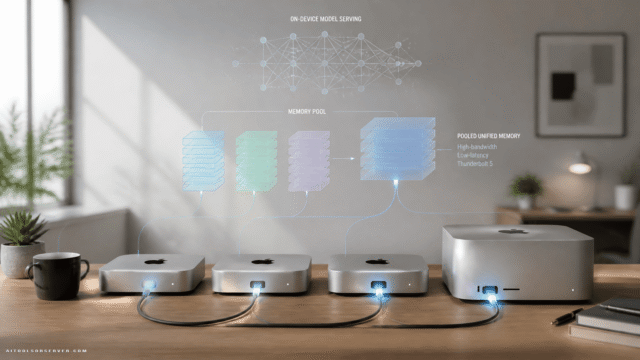
PrismML says Bonsai 2.5 runs on Mac, iPhone, and iPad through MLX, with an Apple silicon package around 8.9 GB. That tells you two things quickly.
First, this is built with Apple hardware in mind. Second, “on-device” does not mean tiny. Local AI still has storage and performance costs, even when the pitch is convenience and privacy.
For anyone evaluating edge AI tools, that is the practical lens to use:
Will the privacy and local control justify the device footprint and setup effort?
Open weights under Apache 2.0 is a meaningful choice
The model weights are available under Apache 2.0, which makes this more than a closed showcase. That licensing approach lowers friction for developers who want to experiment, adapt, or build product workflows around it.
In plain English: it is easier to test seriously when access is not wrapped in a maze.
That does not automatically make Bonsai 2.5 the right fit for every team. But it does make it easier for buyers and builders to verify whether the model works for their use case instead of settling for screenshots and adjectives.
What this means for AI tool buyers
If you are comparing AI tools right now, Bonsai 2.5 fits a very specific buying thesis:
- you want local inference on Apple devices
- privacy matters enough to avoid default cloud processing
- coding and tool-using behavior matters more than pure chat flair
- you are comfortable evaluating setup, device limits, and workflow fit
This is less about replacing every cloud model and more about carving out jobs where local execution is the smarter trade.
The useful takeaway
Bonsai 2.5 looks most interesting if you have sensitive workflows and Apple hardware already in the stack. The big question is not whether “on-device AI” sounds nice. It is whether this model can reliably do real work locally, especially coding and tool-driven tasks, without turning your Mac into a very expensive suggestion engine.











Comments (0) No comments yet
Want to join this discussion? Login or Register.
No comments yet. Be the first to share your thoughts!