


The Problem This Stack Solves

Productivity bottlenecks rarely come from a lack of effort. They come from cognitive friction — not knowing where to start, spending time searching for information you already have, sitting through a twenty-minute video to extract one useful idea, or staring at a paragraph that refuses to make sense.
The tools in this stack target exactly those friction points. None of them will write your work for you. What they will do is clear the path so you can actually do it.
What It Does
NotebookLM is a document-grounded AI tool from Google. You upload your own sources — PDFs, notes, web links — and the built-in chatbot answers questions using only that material. It provides citation links so you can verify every response against the original source.
This is a meaningful distinction from general-purpose LLMs. NotebookLM does not pull from the open web or synthesize information from unverified sources. Its answers are bounded by what you give it, which makes hallucinations far less likely and verification far more practical.
Where It Fits in a Workflow

The most immediate use case is retrieval. If you maintain a growing library of research documents, notes, or saved PDFs, NotebookLM lets you query that library in natural language. Instead of remembering the exact phrase from a study you read six months ago, you ask a question and receive a cited answer.
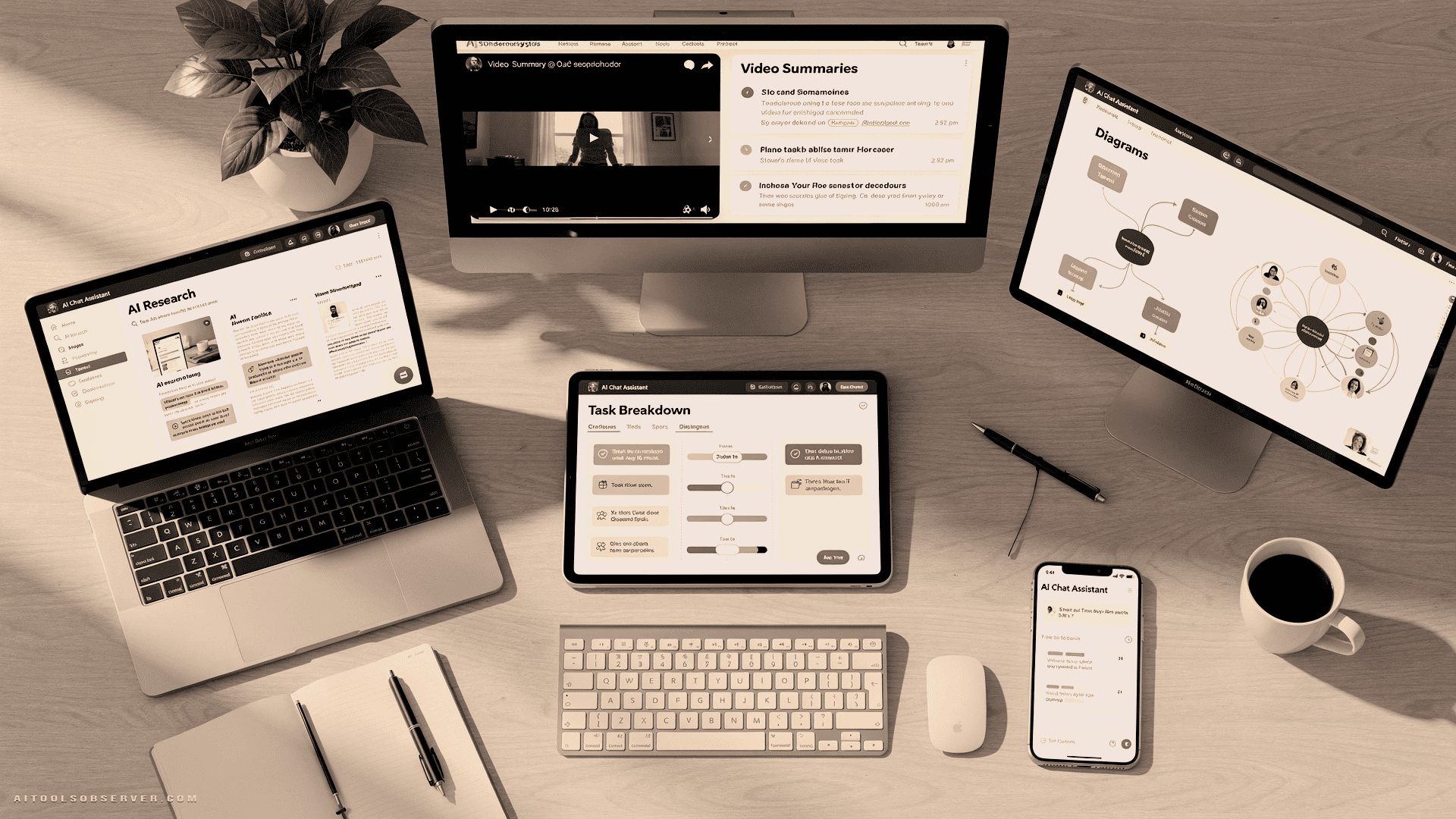
The interface is cleanly divided: sources on the left, chat in the center, and a studio panel for additional outputs like mind maps and quizzes. The chat function is the most reliable and time-efficient component. The studio outputs — including video summaries and visual mind maps — are more opaque about their sourcing and take longer to generate, making them better suited for learning contexts than fast-paced research workflows.
Honest Limitations
NotebookLM can still be inaccurate. The citation feature mitigates this significantly, but it does not eliminate the need for human verification. Treat every response as a starting point, not a conclusion.
What It Does
Goblin Tools is a suite of small, focused utilities designed for moments when tasks feel overwhelming or undefined. The standout tool is Magic ToDo, which takes a single task and breaks it down into a sequence of smaller, actionable steps.
The “spiciness” slider controls granularity. At low settings, you get a concise list of sub-tasks. At maximum spiciness, a task like “do laundry” becomes a detailed, step-by-step checklist. Each sub-task can be expanded further, creating a recursive breakdown of almost any activity.
Where It Fits in a Workflow

Magic ToDo is most valuable at the moment of paralysis — when a task exists on your list but refuses to move forward. The tool does not manage your projects or integrate with other software. It does one thing: it removes the ambiguity that causes inaction.
For anyone whose executive function occasionally stalls — whether due to ADHD, decision fatigue, or simply an unclear scope — this tool converts vague intentions into concrete first steps. That transition from “I need to do this” to “here is the first specific action” is where a significant amount of productive time is lost.
Honest Limitations
If you rarely experience task paralysis, Magic ToDo will slow you down rather than speed you up. The overhead of breaking a task into sub-tasks only pays off when the alternative is not starting at all. Use it selectively, not habitually.
What It Does
Eightify is a Chrome extension that generates text summaries of YouTube videos directly on the platform. It is also available on Android and iOS. The tool is designed for people who use YouTube as a research source but would prefer to read rather than watch.
The free plan supports videos under thirty minutes and includes a daily credit limit of three to four summaries. Paid plans remove these restrictions. Summary modes include short, detailed, and Q&A formats, with tone options that range from useful to gimmicky.
Where It Fits in a Workflow

The correct use of Eightify is triage, not replacement. Use it to determine whether a video is worth watching in full before committing the time. A two-minute summary that tells you a forty-minute video contains nothing new is a genuine time saving. A summary used as a substitute for a video you actually need to understand is a liability.
The Q&A mode has practical value for students and researchers who want to extract specific information quickly. The short versus detailed toggle is genuinely useful for calibrating depth. The “funny” and “controversial” tone options serve no clear productivity purpose.
Honest Limitations
The free plan’s daily credit limit makes Eightify unreliable as a primary research tool. If YouTube is central to your workflow, the free tier will run out quickly. The paid plan resolves this, but the free version is sufficient for occasional use.
What It Does
Napkin converts text into diagrams. You highlight a passage, click an icon, and the tool generates a visual representation — flowcharts, process diagrams, comparison layouts, and more. The AI selects what it considers the most appropriate format, though you can override this and apply any diagram style manually.
Where It Fits in a Workflow

Napkin‘s most underrated application is self-editing. If you have explained a process in writing and Napkin cannot produce a coherent diagram from it, the explanation likely needs revision. The tool functions as an external check on logical clarity — a way of asking whether your structure holds up visually before a reader encounters it.
For content creators, educators, and anyone producing instructional or analytical writing, this feedback loop has real value. Diagrams also serve as presentation assets, reducing the time spent building visuals in separate tools.
Honest Limitations
Napkin’s diagram quality depends heavily on your familiarity with the subject matter. If you are working with unfamiliar content, you may not recognize when the AI has produced a misleading or structurally incorrect diagram. The tool is most reliable when you already understand what you are visualizing. Use it to communicate clearly, not to learn from scratch.
What It Does
ChatGPT is a large language model capable of handling a wide range of tasks from a single interface: summarization, task breakdown, flowchart generation, research synthesis, drafting, and much more. The same applies to comparable LLMs — Gemini, Copilot, Grok — which have converged significantly in capability. The choice between them is increasingly a matter of personal preference and integration needs.
Where It Fits in a Workflow

ChatGPT functions as the generalist layer of this stack. Dedicated tools like Napkin and Goblin Tools offer polished interfaces for specific tasks, but ChatGPT can replicate many of those functions with the right prompt. For recurring tasks, a dedicated tool is more efficient. For one-off needs, ChatGPT is faster than finding, installing, and learning a new application.
The practical rule is straightforward: use specialized tools for workflows you repeat regularly, and use ChatGPT for everything else.
Honest Limitations
ChatGPT‘s breadth is also its primary risk. The same interface that summarizes a report can generate an escape room, analyze your wardrobe, or produce an image of your cat in a canoe. The distraction potential is real and measurable. Treat it as a precision instrument, not an open-ended playground, and set a clear task before you open it.
How These Tools Work Together

These five tools are not designed as an integrated suite, but they complement each other naturally across a typical knowledge-work workflow.
Research and retrieval — NotebookLM organizes and queries your existing sources. Eightify filters YouTube content before it consumes your time.
Planning and execution — Goblin Tools Magic ToDo removes the friction of starting. ChatGPT handles task breakdowns, drafting, and one-off queries that do not warrant a dedicated tool.
Communication and clarity — Napkin converts finished or in-progress writing into visual formats, serving both as a self-editing tool and a presentation asset.
None of these tools require a paid subscription to deliver meaningful value in their primary use case. That is a deliberate constraint of this stack — free tiers only, tested under real working conditions.
Choosing What Belongs in Your Stack

Not every tool here will suit every workflow. The honest filter is this: does the problem this tool solves actually occur in your work, and does it occur often enough to justify the habit of using a new tool?
If you rarely lose time searching through documents, NotebookLM adds little. If task paralysis is not part of your experience, Goblin Tools is overhead. If you never use YouTube for research, Eightify is irrelevant.
Start with the tool that addresses your most frequent friction point. Add others only when the need is clear. A stack of five tools used selectively outperforms a stack of fifteen used inconsistently — and that principle applies whether you are building a productivity system or observing the AI tools ecosystem for what actually works.














Comments (0) No comments yet
Want to join this discussion? Login or Register.
No comments yet. Be the first to share your thoughts!