



The 95% Problem Nobody Is Talking About

A recent MIT study found that 95% of generative AI pilot projects fail to deliver a substantial return on investment. That number is not a warning for startups experimenting on a shoestring. It describes large corporations with dedicated AI teams, seven-figure budgets, and months of runway.
For SMBs, this is not a reason to hesitate. It is a reason to watch carefully and move differently.
Gene Marks, technology consultant and author of The AI Business Playbook, frames it plainly: let the large enterprises absorb the cost of failure. Once the patterns of what actually works become clear, those lessons become available to smaller operators at a fraction of the price — and without the organizational wreckage.
The SMB advantage has always been agility. In the AI era, that means skipping the expensive mistakes and going straight to what delivers.
The Real Problem Is Not the Tools — It Is the Disconnection
Here is the scenario playing out across thousands of small businesses right now. A team uses QuickBooks for accounting, HubSpot or Salesforce for CRM, Microsoft 365 for documents and email, and perhaps a standalone ChatGPT subscription for drafting content. Each tool works in isolation. None of them talk to each other in any meaningful way.
The result is a fragmented workflow where AI produces generic output because it has no context about the actual business. A chatbot that does not know your customer history, your pricing structure, or your operational data is just an expensive autocomplete engine.
The fix is not another platform. The fix is connection.
Connect First, Adopt Later
Marks offers a principle that should anchor every SMB’s AI strategy: connect your chatbots into your data.
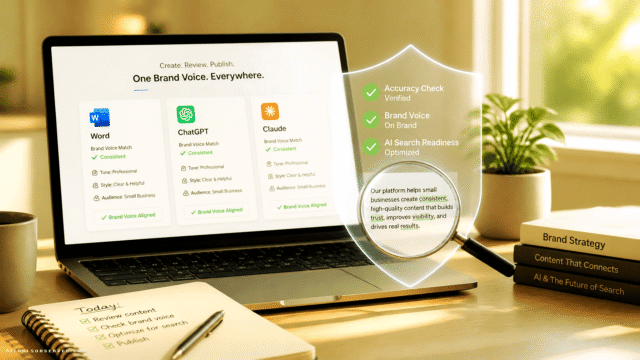
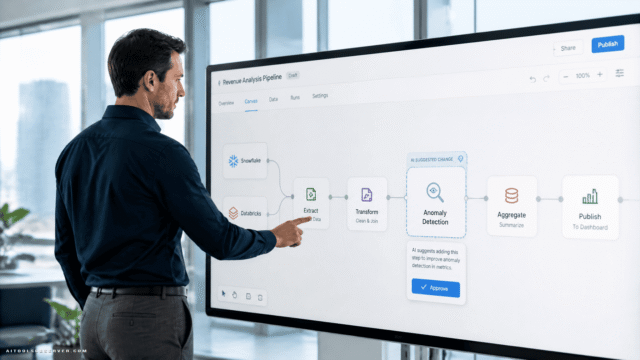
This is not a technical abstraction. It is a concrete workflow decision. Platforms like ChatGPT, Claude, Copilot, and Gemini all offer integration pathways — APIs, native connectors, and middleware bridges — that allow them to pull from and act on your existing business data. When a general-purpose language model gains access to your CRM records, your cloud file system, or your accounting history, it stops being a generic assistant and starts functioning as a domain-specific operator.
The transformation is significant. Instead of asking an AI to draft a follow-up email, you can ask it to draft a follow-up email for a client who last purchased in Q3, whose contract renewal is in 60 days, and whose support tickets have been escalating. That specificity only exists when the AI is connected to your actual data.
Microsoft Copilot: The Overlooked Asset Already in Your Stack

If your business runs on Microsoft 365 — and a large share of SMBs do — you already have access to Microsoft Copilot. Most teams are not using it effectively, not because it is difficult, but because no one has invested in structured onboarding.
Marks recommends a targeted solution: hire a trainer sourced through LinkedIn for a few hundred dollars. That single investment can unlock capabilities that have been sitting dormant in tools your team uses every day — Word, Excel, Outlook, Teams, and SharePoint.
This is the kind of ROI calculation that makes sense for an SMB. Not a six-month implementation project. Not a new vendor contract. A focused training engagement that activates existing infrastructure.
Practical Starting Points for Copilot Integration
- Email and calendar management — Copilot can summarize long email threads, draft responses with context, and prepare meeting briefs automatically.
- Document intelligence — Connect Copilot to SharePoint libraries and it can surface relevant files, extract key data points, and generate summaries on demand.
- CRM-adjacent workflows — When paired with Dynamics 365 or connected via Power Automate, Copilot can pull customer data directly into communication drafts.
The point is not to master every feature at once. The point is to identify two or three high-friction workflows and eliminate them systematically.
Choosing the Right AI Layer for Your Stack
Not every business runs on Microsoft. The same integration logic applies across the major AI platforms, each with distinct strengths worth understanding before committing.
ChatGPT (OpenAI)
ChatGPT’s API and GPT Actions framework allow it to connect to external data sources and execute multi-step workflows. For SMBs with a technical resource on staff or a willing freelancer, this opens significant customization potential. Custom GPTs can be built to reflect your brand voice, your product catalog, or your internal processes.
Claude (Anthropic)
Claude is increasingly favored for tasks requiring careful reasoning over long documents — contracts, policy reviews, detailed client briefs. Its extended context window makes it well-suited for businesses that work with dense, information-heavy materials. Integration options are expanding steadily through the API and third-party connectors.
Gemini (Google)
For businesses embedded in Google Workspace, Gemini offers the most natural integration path. It connects directly to Gmail, Drive, Docs, and Meet, functioning as an intelligent layer across the entire productivity suite. If your team lives in Google’s ecosystem, Gemini is the logical first integration point.
The Selection Principle
Do not choose an AI platform based on benchmark rankings or vendor marketing. Choose based on where your data already lives. The best AI tool for your business is the one that connects most directly to the systems your team already uses every day.
The Workforce Question: Honest and Unsparing
No serious AI strategy conversation avoids the employment question. Marks does not soften it: anyone whose work involves a computer is, to some degree, exposed to displacement.
But exposure is not inevitability, and the historical pattern is instructive. Technology has consistently eliminated specific roles while generating entirely new categories of work. Social media manager, SEO strategist, cloud infrastructure engineer, data privacy officer — none of these titles existed twenty years ago. The AI era will produce its own equivalent list.
For SMB owners, the more immediate and actionable question is this: how do you use AI to increase output per employee rather than simply reduce headcount? A business that processes twice the client volume with the same team size does not just cut costs — it scales revenue without proportional overhead growth.
That is the productivity argument for AI integration, and it is the one that actually moves the needle for small businesses.
A Practical Framework for Getting Started
The gap between knowing AI matters and knowing what to do on Monday morning is where most SMBs stall. The following sequence is designed to close that gap without requiring a large budget or a dedicated IT team.
Step 1 — Audit your current stack.
List every tool your business pays for. Identify which ones already have AI features built in or available as an upgrade. Microsoft 365, HubSpot, Salesforce, QuickBooks, and Notion all have active AI development programs.
Step 2 — Identify your highest-friction workflows.
Where does your team spend time on repetitive, low-judgment tasks? Email drafting, report generation, data entry, meeting summaries, and customer follow-up sequences are common candidates.
Step 3 — Map the data connection.
For each friction point, ask: what data would an AI need to handle this task well? Then determine whether that data is accessible through an existing integration or requires a connector like Zapier or Make.
Step 4 — Run a contained pilot.
Choose one workflow, one team, and a 30-day window. Measure time saved, error rate, and team satisfaction. Use the results to decide whether to expand or adjust.
Step 5 — Invest in training, not just tools.
A few hundred dollars spent on a qualified trainer will consistently outperform the same amount spent on a new software subscription. Capability without adoption is waste.
The Compounding Advantage of Integration
There is a compounding dynamic at work for businesses that get this right early. Each integration point creates a richer data environment for the AI to operate in. A more connected AI produces better outputs. Better outputs build team trust. Greater trust drives higher adoption. Higher adoption generates more data. The cycle accelerates.
Businesses that are still evaluating tools in isolation — running ChatGPT in one tab while their CRM sits untouched in another — are not just missing efficiency gains. They are forfeiting the compounding advantage entirely.
The Takeaway
The SMBs gaining ground right now are not the ones with the largest AI budgets or the most experimental tool portfolios. They are the ones who looked at what they already had, connected it deliberately, and trained their teams to use it well.
The noise around AI is real. The opportunity is also real. The difference between the two comes down to one question: are you adding to your stack, or are you finally making your stack work together?
Start with the second question. The first one can wait.









Comments (0) No comments yet
Want to join this discussion? Login or Register.
No comments yet. Be the first to share your thoughts!